Process Automation · Microsoft & Zoho
Business process automation on Microsoft and Zoho, with AI where it pays
Most organizations already own a platform that can automate their processes; they simply have not put it to work. AI now widens what can be automated: documents read without retyping, flows built from a plain description and agents that take requests in Teams. As a Microsoft and a Zoho partner, IT Enablers Global designs the process first, then builds it on the Power Platform, on Zoho, or across both.
10+ years of delivery · Microsoft and Zoho partner
What we automate
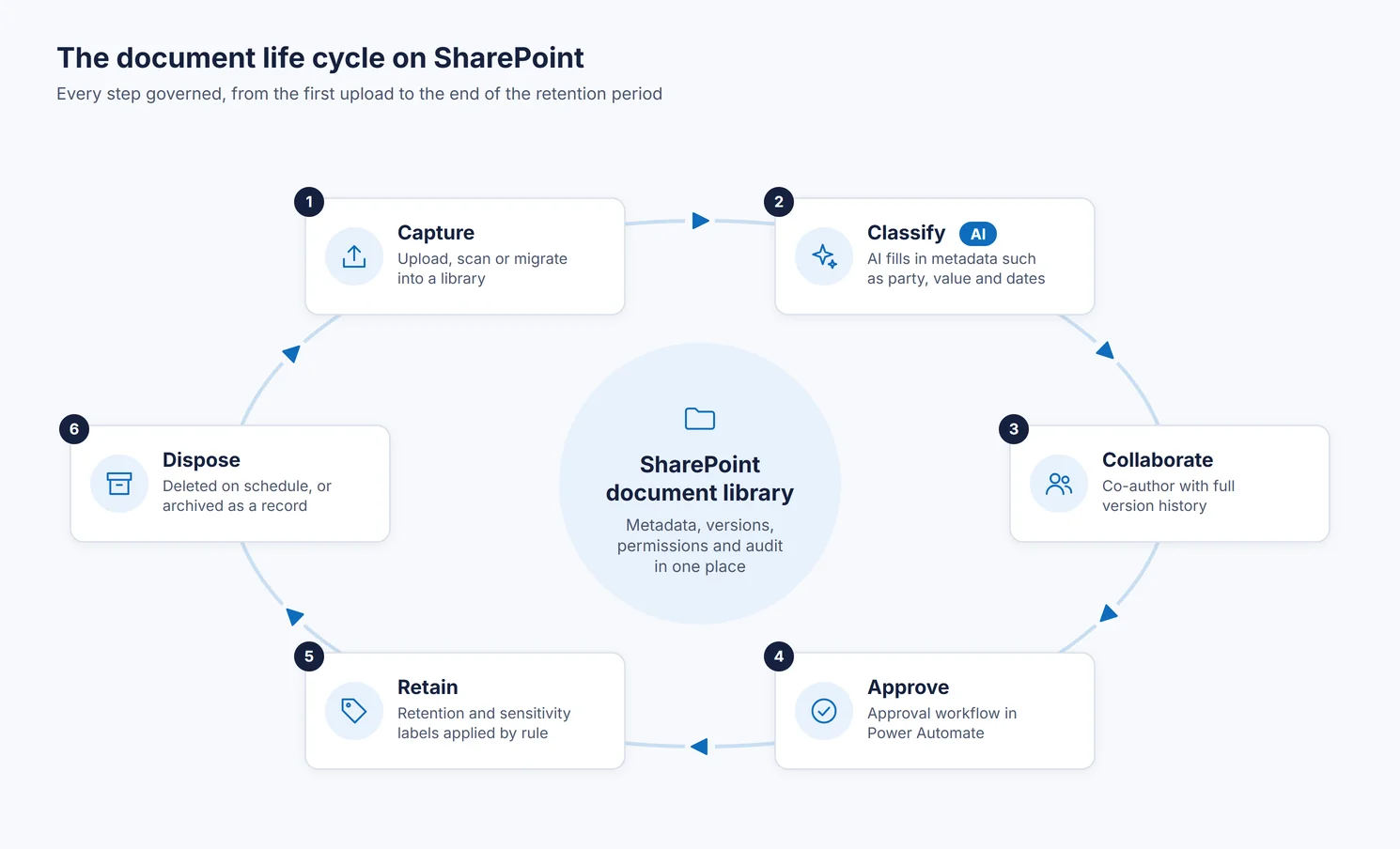
- Approval processes and document life cycles
- Invoices, forms and contracts read by AI, then routed
- Requests taken by an agent and passed to a governed flow
- Alerts, reminders and escalations at every stage
- Integration with the other systems you run
Purpose & Benefits
What process automation returns to the organization
Manual processes wait in inboxes, collect errors and leave no record of who decided what. Automated processes move each step to the right person on time and keep the evidence.
Faster approvals
- Requests move automatically to the right people instead of sitting in inboxes
- Free your people from repetitive tasks to focus on higher-value work
Fewer errors
- Reduce errors and rework by eliminating manual, repetitive data entry
- Standardize processes across departments for consistent outcomes
Full visibility
- Track every process stage with alerts and notifications
- Maintain complete audit trails of who approved what, and when
Automation With AI
Where AI extends what can be automated
Classic automation needed tidy inputs and fixed rules. AI handles the untidy part, reading a document or understanding a request, and hands the result to a rule-based flow that applies your approvals and controls.
Documents in, data out
AI Builder and Microsoft's document processing models read invoices, receipts, contracts and forms, extract the fields that matter and pass them to the next step, so nobody retypes a supplier invoice into a list.
Flows built from a description
Copilot in Power Automate creates a flow from a sentence like "when a leave request is submitted, notify the line manager and record the decision". We use it to move faster, then test, secure and document every flow before it goes live.
Agents that start the work
Copilot Studio agents take a request in conversation, check it against your SharePoint content and call an agent flow to raise the purchase order or log the ticket, with approvals kept in the flow where they belong.
Microsoft's AI features in automation run on Copilot Credits or on a per-user Copilot license, and Microsoft is changing how AI Builder capacity is sold. We size usage and confirm the licensing during design.
Two Platforms
Automate on the stack you already run
We are a Microsoft and a Zoho partner, so we build on whichever platform fits your organization rather than pushing you toward one. Both now pair low-code apps and workflows with AI agents that work inside the platform.
Microsoft Power Platform
- Power Automate: workflows, approvals and integration, with Copilot to build them
- Copilot Studio: agents and agent flows grounded in your SharePoint content
- Power Apps: low-code apps and forms for any process
- SharePoint Online: documents, lists and the content backbone
- Power BI: dashboards and reporting across your data
Zoho
- Zoho Flow: workflow automation and integration
- Zia Agents: ready-made agents, plus Agent Studio for building your own
- Zoho Creator: low-code apps and forms, with AI to help build them
- Zoho WorkDrive & Sign: document management and e-signatures
- Zoho Analytics: dashboards and reporting across your data
What's Included
Everything a process automation engagement covers
Process design
- Today's process mapped alongside the staff who perform it
- Steps simplified before anything is automated
- A clear line between AI steps and rule-based steps
Build
- Workflows with multiple triggers and actions
- Approval processes from request to sign-off
- Document AI, agents and integrations where they add value
Run
- Flows owned by service accounts, not individuals
- Monitoring, failure alerts and usage reports
- Changes handled as a managed service
Business Impact
What changes once the process runs itself
Capacity without hiring
Finance, HR and operations handle higher volumes with the same team, because data entry and chasing are no longer manual.
Shorter cycle times
Requests, invoices and approvals move on as soon as they arrive, instead of waiting for someone to notice them.
Control that holds up
Every decision is recorded, rules are applied the same way each time, and AI never approves anything on its own.
Frequently asked questions
Which processes can be automated?
Any process with defined rules and repetitive steps: approvals, requests, document life cycles and notifications. With AI, processes that start from a document or a free-text request, such as supplier invoices or IT and HR requests, can now be automated too.
Do you build on Microsoft or Zoho?
Both. We are a Microsoft and a Zoho partner, and we recommend the platform that best fits what your organization already runs. Power Automate and Zoho Flow each connect to hundreds of other systems, so approvals and data flow across the tools you use.
Is it safe to let AI make decisions in a process?
We design it so AI reads, classifies and drafts, while approvals, payments and other decisions stay in rule-based steps with a named approver. Agents act with the permissions you give them, and every run is logged.
How do we keep oversight of automated processes?
Every stage is tracked with alerts and notifications, and complete audit trails record who approved what, and when. We also set up monitoring so a failed run is noticed and fixed quickly.
Ready to get started?
Tell us about your organization and we will recommend the right approach.
Prefer email? info@itenablersglobal.com