Blog · November 18, 2026
In 2025, organizations were promised that AI would replace jobs. That is not what happened. What arrived was quieter: AI features inside the applications they already pay for.
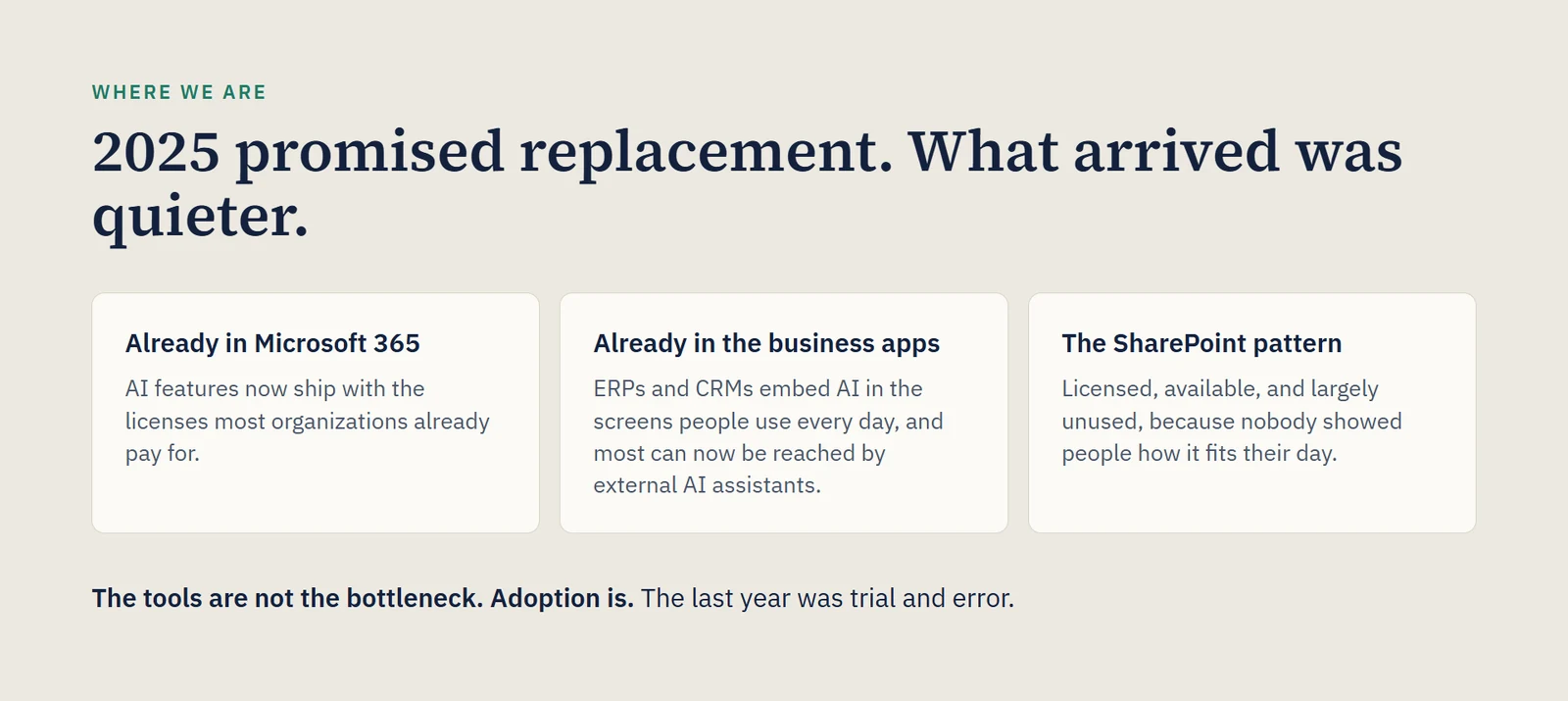
Microsoft 365 now includes AI in the licenses most organizations already hold. ERPs and CRMs build AI into the screens people use every day, and most of them can now be reached by external AI assistants too. The tools are in place. Very few people are using them.
We have seen this before. SharePoint sat licensed and largely unused in many organizations for years, not because it was a poor tool, but because nobody showed people how it fit into their day. AI is following the same pattern. The tools are not the bottleneck. Adoption is.
In our earlier article, Zoho AI in Business Applications, we argued that the value of AI comes from an organization's own use cases, and that those use cases surface in daily work, not in strategy presentations. This article is about how to find them: a method for building AI into the way an organization works.
Why AI stalls when it is run as an IT project
The usual reflex is to treat AI like any other system rollout: gather requirements, write a specification, build, go live. With AI, that approach stalls for three reasons.
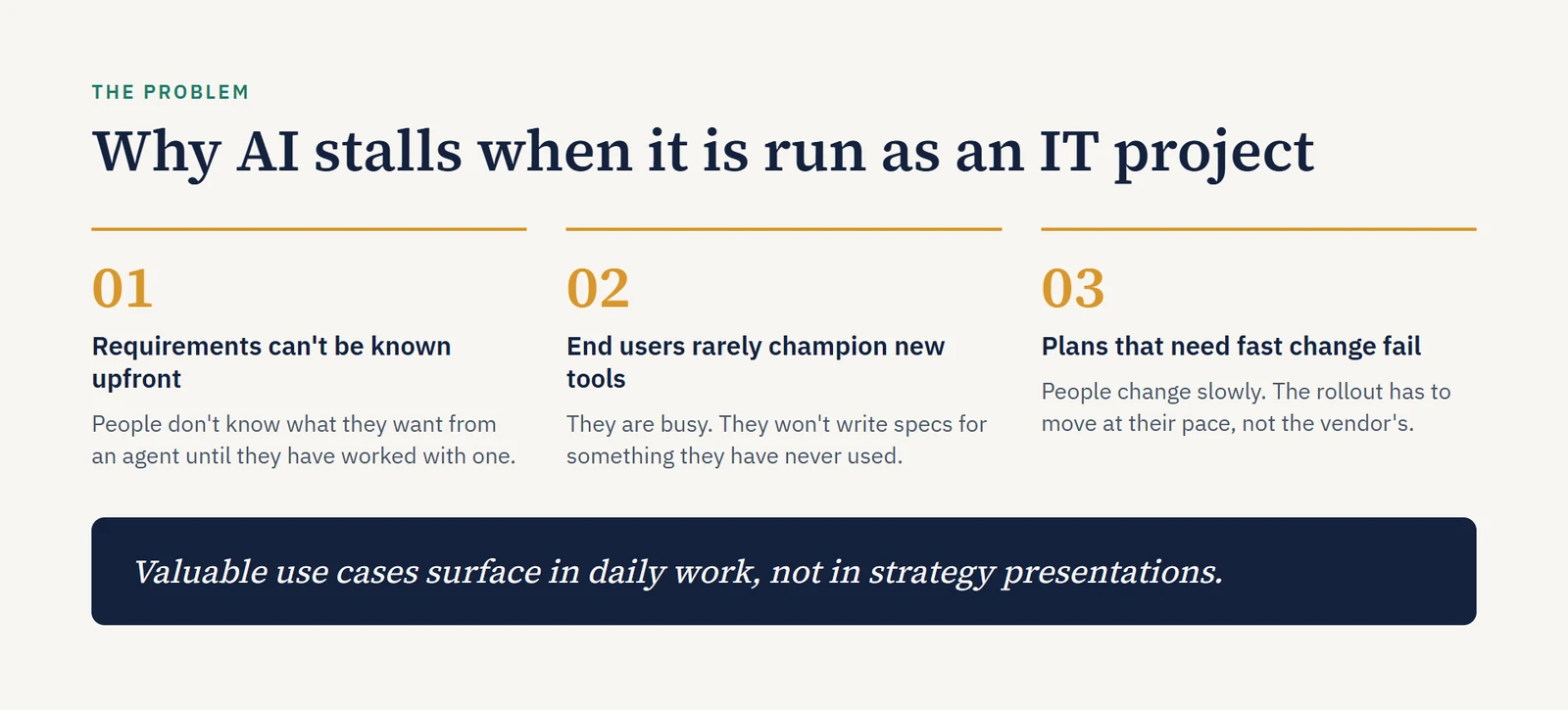
Requirements can't be known upfront. People do not know what they want from an AI agent until they have worked with one. Asking them to specify it in advance produces either a blank page or a wish list.
End users rarely champion new tools. They are busy with their actual jobs, and they will not write specifications for something they have never used.
Plans that need fast change fail. People change slowly. A rollout that depends on them changing quickly is a weak plan. The program has to move at their pace, not the vendor's.
The principle: treat every agent as a junior hire
The method rests on one idea. Introduce each AI agent the way you would introduce a new junior member of staff.
"We are giving you two assistants" is a sentence everyone understands. It needs no talk of LLMs or MCP, and it threatens no one's job. A human role is familiar, and familiarity is the best change management tool there is.
Day one: narrow, but useful
Take a tender manager in procurement, who runs RFPs, evaluates bids and prepares committee papers. On day one, they get two assistants.
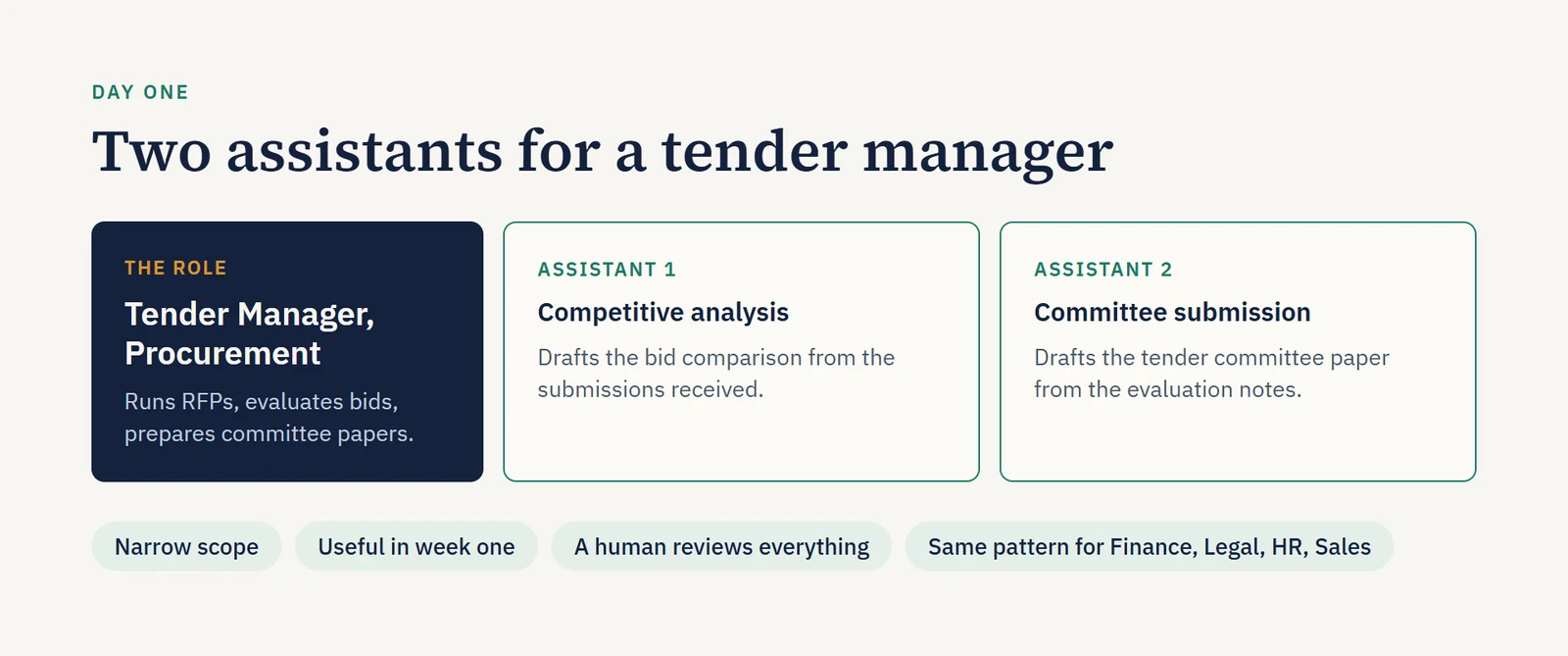
The first drafts the competitive bid analysis from the submissions received. The second drafts the tender committee paper from the evaluation notes. The tender manager reviews everything before it goes anywhere.
The scope is deliberately narrow, yet the assistants are useful in the first week. The same pattern works in Finance, Legal, HR and Sales: pick a role, find two pieces of recurring drafting work, and give that role two assistants. Experience decides how much each department starts with, so the work is useful from day one without overwhelming anyone. And the organization is now working with agents without anyone having announced a transformation.
Agents have a career path
Junior hires do not stay junior forever, and neither do agents.
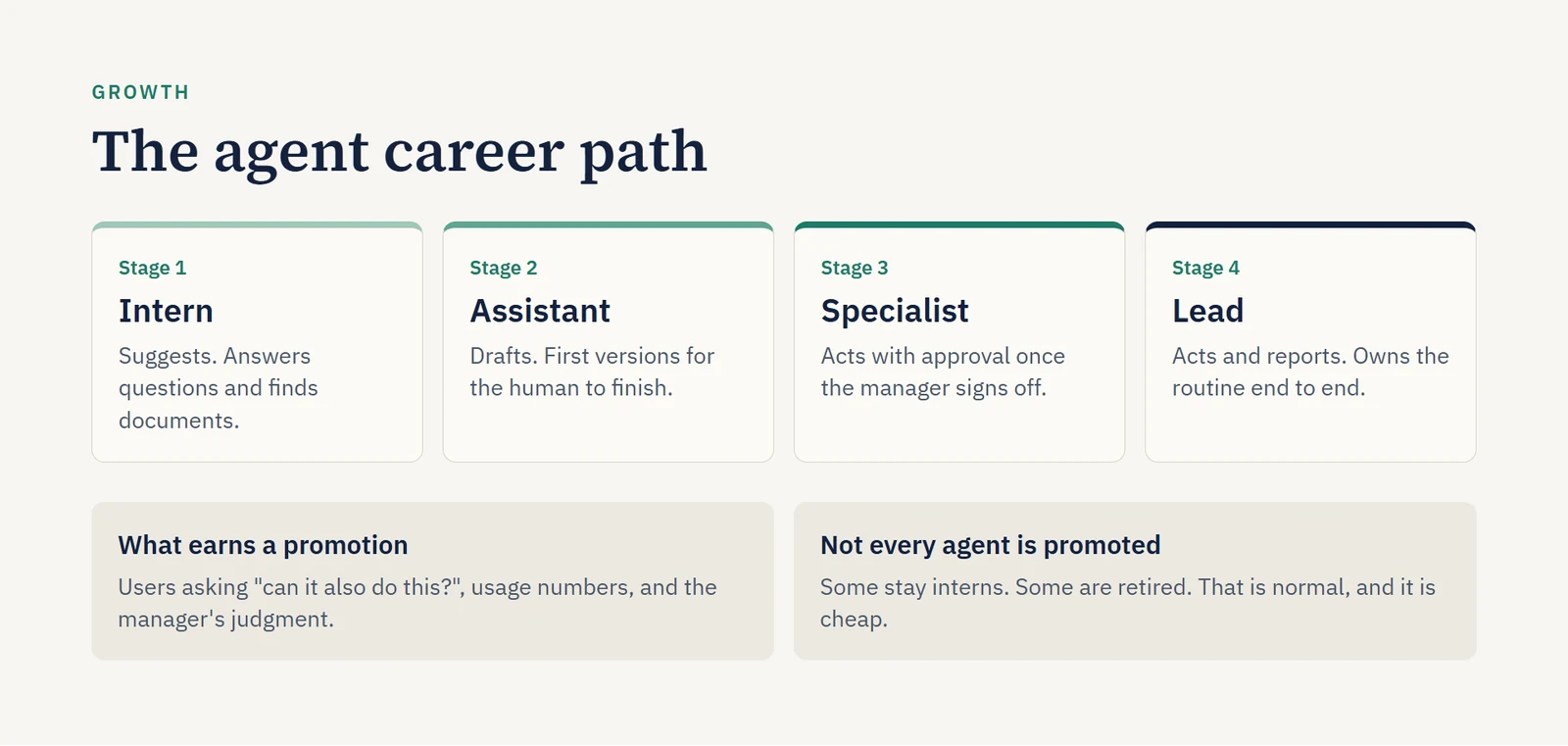
An agent starts as an intern: it suggests, answers questions and finds documents. It can be promoted to assistant, drafting first versions for a person to finish. Then to specialist, acting once its manager approves. And finally to lead, acting and reporting, owning a routine from end to end.
What earns a promotion is much the same as for a person: users asking "can it also do this?", usage numbers, and the manager's judgment. Not every agent is promoted. Some stay interns. Some are retired. That is normal, and with agents it costs very little.
Something useful happens along the way. After a couple of months with an assistant, people stop worrying about whether it will take their job. They come back and ask whether it can take on more. That trust is the feedback loop, and no requirements workshop can produce it.
Every agent reports to someone
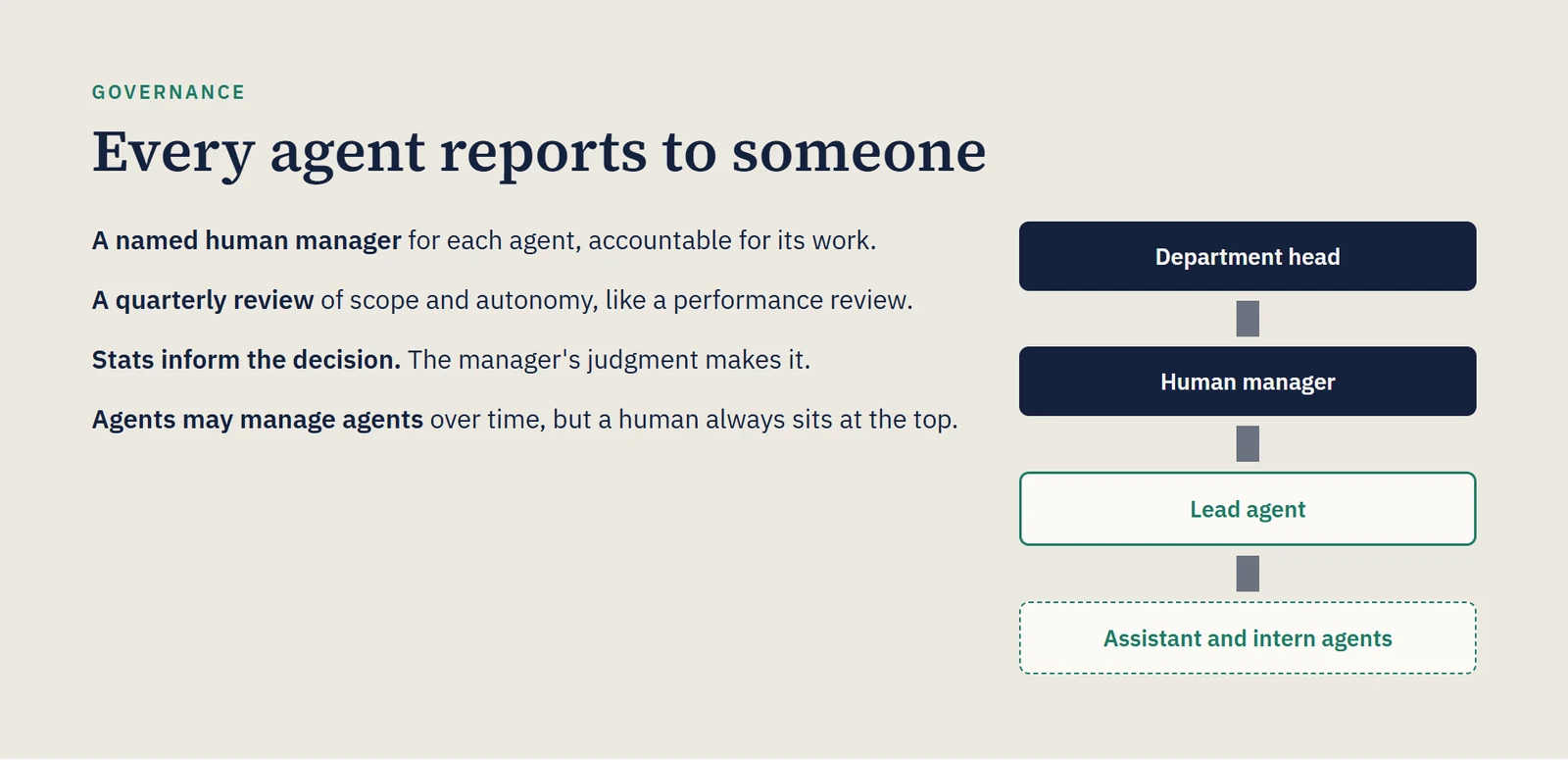
Each agent has a named human manager who is accountable for its work. Once a quarter, the manager reviews the agent's scope and autonomy, much like a performance review. Usage statistics inform the decision, but the manager's judgment makes it. That judgment is not a weakness to engineer away. It is a person taking responsibility, which is exactly what organizations rely on for their people too.
Over time, agents may manage other agents. A human always sits at the top, and the line of accountability runs up to the CEO.
Why the soft approach works
This approach can look slow. In practice, it pays for itself.
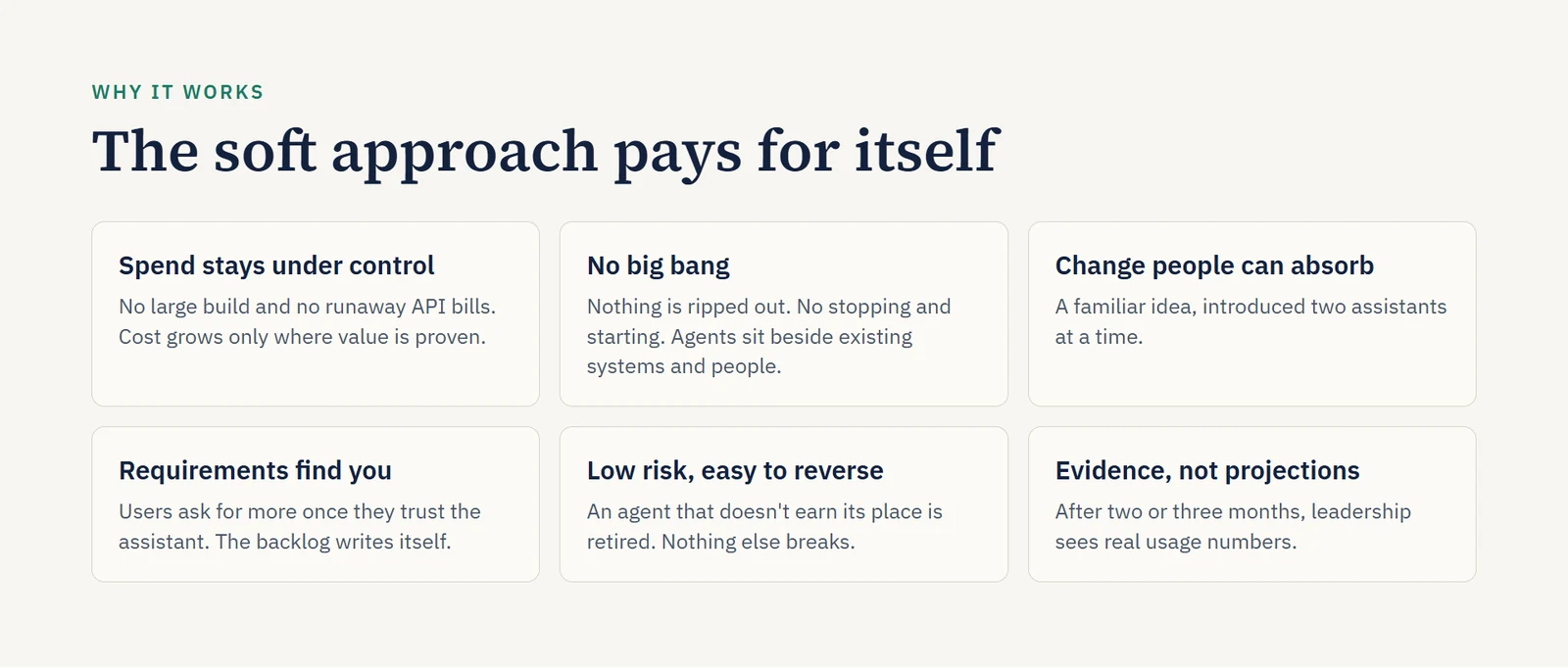
Spend stays under control. There is no large build and no runaway usage bill. Cost grows only where value has been proven.
There is no big bang. Nothing is ripped out, and nothing stops and restarts as priorities shift. Agents sit beside existing systems and people.
People can absorb the change. It is a familiar idea, introduced two assistants at a time.
Requirements find you. Once users trust an assistant, they ask for more. The backlog writes itself.
It is low risk and easy to reverse. An agent that does not earn its place is retired, and nothing else breaks.
Leadership gets evidence, not projections. After two or three months, there are real usage numbers to look at.
A year from now, an organization that took this path will be further along than one that launched a heavy, top-down AI program full of buzzwords.
Track two: a personal AI workspace for everyone
Agents handle defined pieces of work. Alongside them, people need their own AI workspace for everything else they read, draft and analyze.
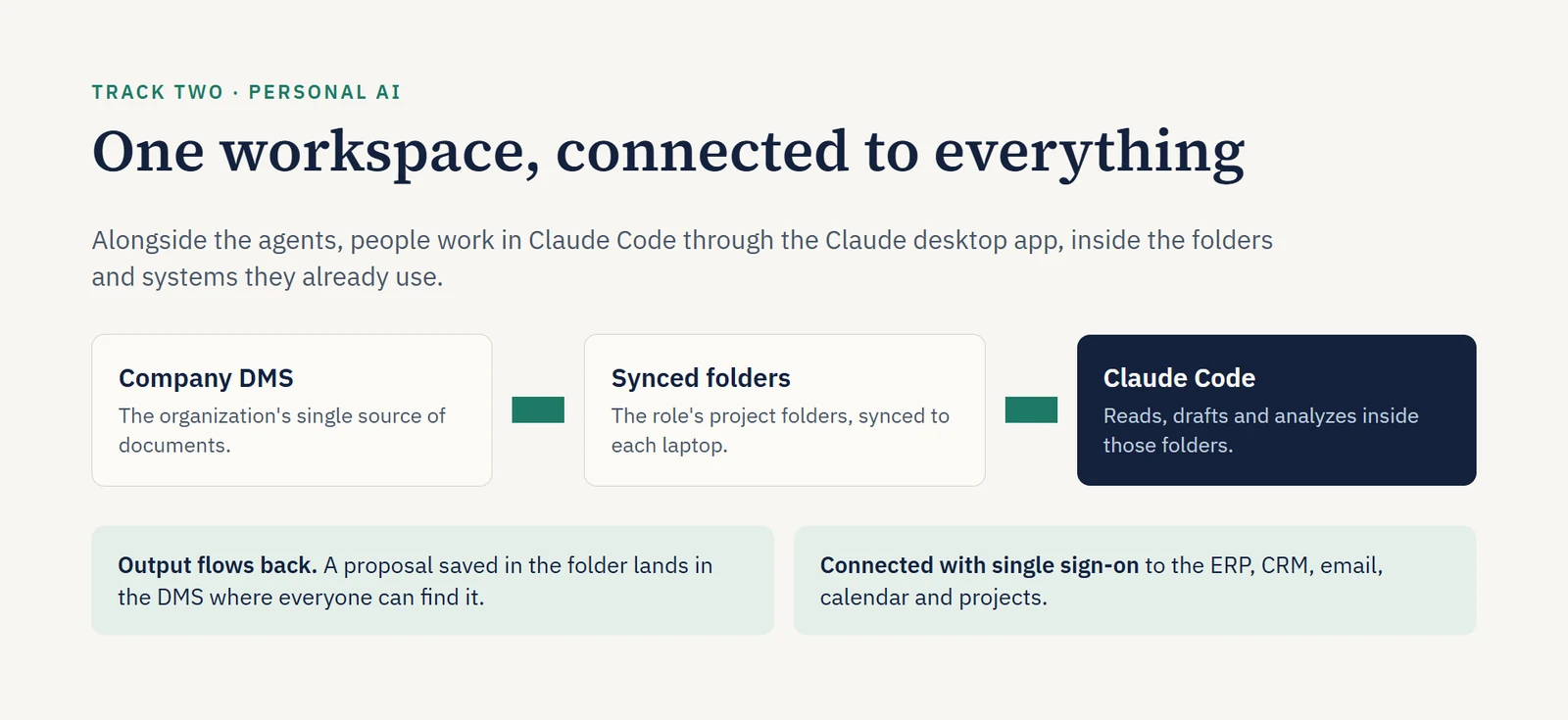
The setup we recommend starts from the document management system the organization already has. Each role's project folders are synced to the person's laptop, and the person works in them with Claude Code, through the Claude desktop app. It reads, drafts and analyzes inside those folders. Anything it produces, a proposal for example, is saved in the folder and syncs back to the DMS, where everyone can find it. Nothing lives only on one laptop.
The same workspace connects to the business applications (the ERP, CRM, email, calendar and project tools) using each person's own single sign-on. We suggest standardizing on one tool for the whole organization rather than letting each person pick their own, so that setups, training and data rules stay consistent.
Guardrails, set once
Personal AI needs rules, and they should be set centrally, not left to each person.
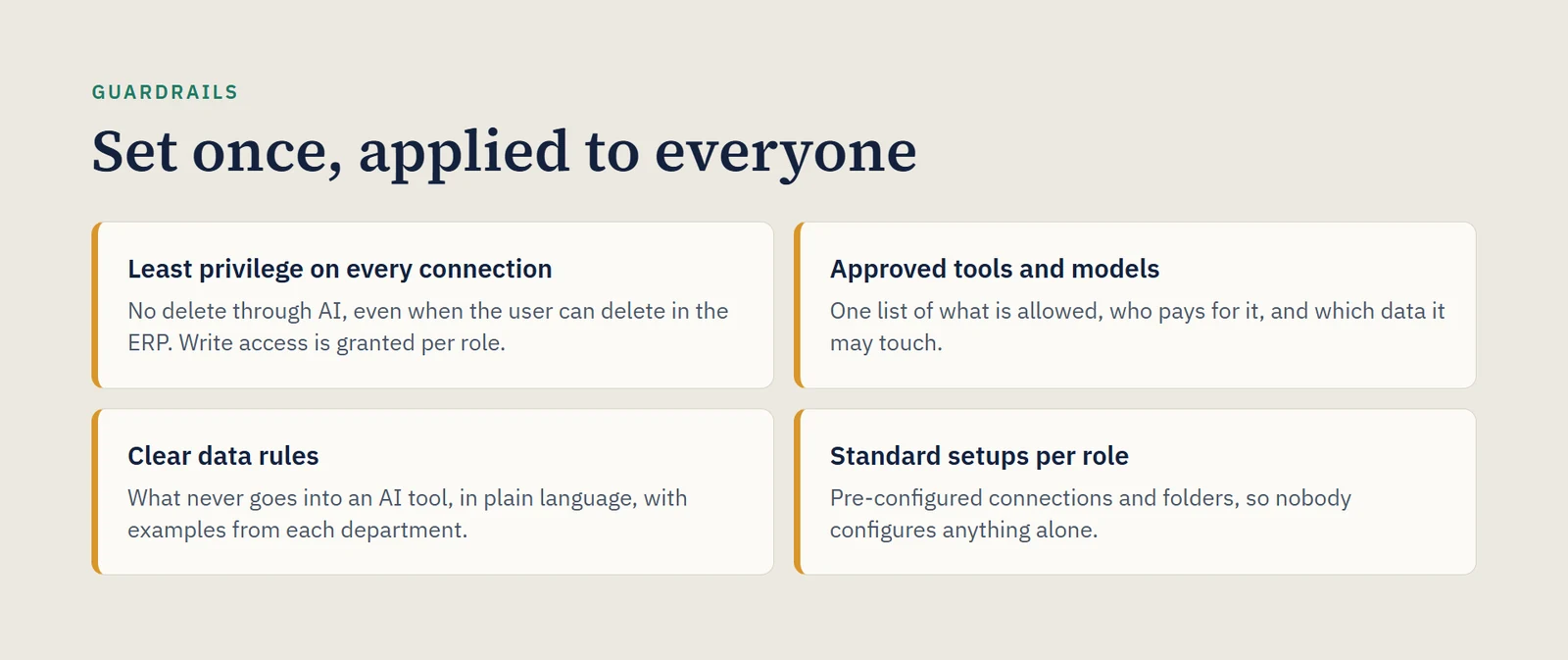
Least privilege on every connection. The clearest example: the AI connection gets no delete rights, even when the person's own ERP account can delete. Write access is granted per role.
Approved tools and models. One list of what is allowed, who pays for it, and which data each tool may touch.
Clear data rules. What never goes into an AI tool, written in plain language, with examples from each department.
Standard setups per role. Connections and folders come preconfigured, so nobody has to configure anything alone.
AI explained in plain terms
Business users do not need a technical course. They need three ideas.
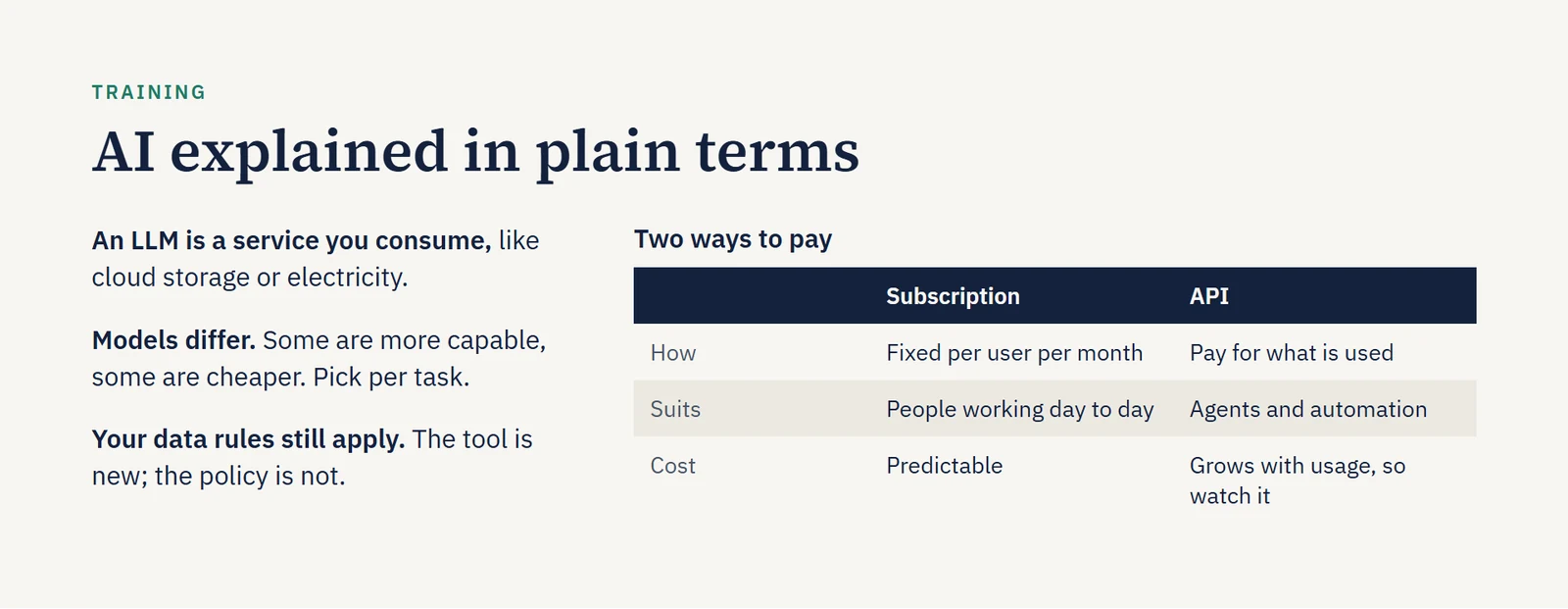
An LLM is a service you consume, like cloud storage or electricity. Models differ: some are more capable, some are cheaper, and the right one depends on the task. And your data rules still apply. The tool is new; the policy is not.
It also helps to know the two ways to pay. A subscription is a fixed monthly price per user. It is predictable and suits people working day to day. An API is paid per use. It suits agents and automation, and its cost grows with usage, so it needs watching.
A twelve-month plan
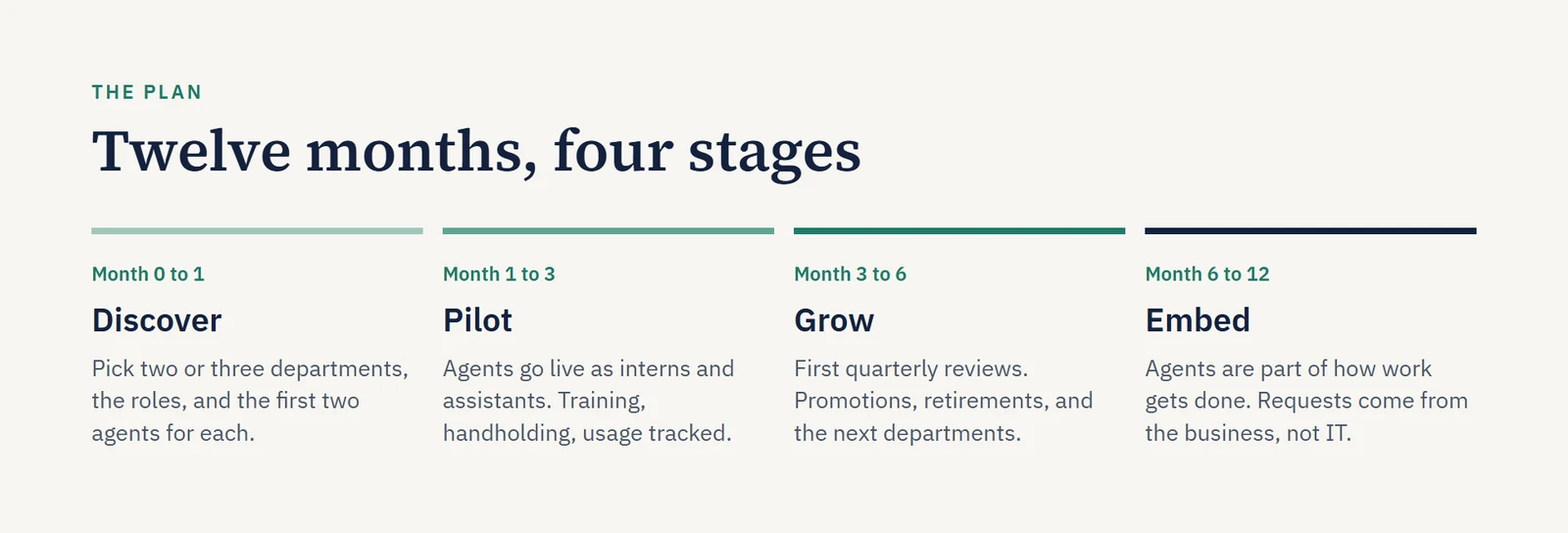
Discover (month 0 to 1). Pick two or three departments, the roles in them, and the first two agents for each role.
Pilot (months 1 to 3). Agents go live as interns and assistants, with training, handholding and usage tracking.
Grow (months 3 to 6). The first quarterly reviews: promotions, retirements, and the next departments.
Embed (months 6 to 12). Agents are part of how work gets done, and requests come from the business rather than from IT.
The personal AI workspace and training run in parallel from the first month.
It has to come from the top
This is a culture program, and culture is set at the top. When the CEO asks for the agent's draft, everyone else starts using theirs. Leadership needs to sponsor the program, use AI visibly, and talk about agents as part of the team. There is no need to be shy about it.
What follows
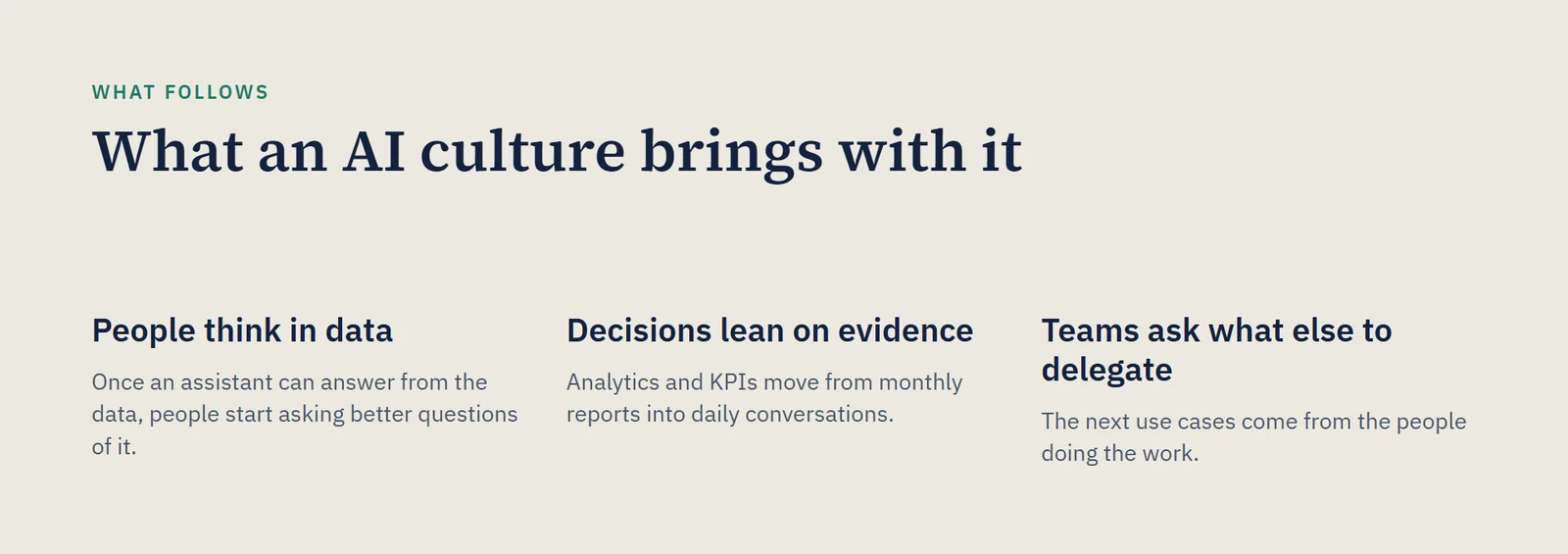
The agents are the entry point. The bigger change is in how people think.
Once an assistant can answer from the data, people start asking it better questions, and they start thinking in data. Analytics and KPIs move out of monthly reports and into daily conversations, so decisions lean on evidence. And teams start asking what else they can delegate, which means the next use cases come from the people doing the work.
That is what an AI culture looks like: not one big launch, but an organization that keeps finding its own uses for the AI it already owns.
Key takeaways
- AI already sits inside the applications most organizations pay for. Adoption, not technology, is the bottleneck.
- Run as an IT project, AI stalls, because the real requirements only surface once people use it.
- Introduce each agent as a junior hire, starting with two assistants for one role.
- Agents earn promotion from intern to lead, some are retired, and each one reports to a named human manager.
- Give people a personal AI workspace on the folders and systems they already use, with guardrails set centrally.
- Sponsor it from the top. This is a culture program.
How we can help
IT Enablers Global runs this as a consulting engagement, much as organizations run policy or restructuring work. We assess the departments, roles and the AI you already license, design a role for each agent, roll out two agents per role, train people in plain language, and review every quarter. For organizations on Zoho, Zoho's applications already connect to AI assistants through Zoho MCP.
If you want to start building an AI culture in your organization, talk to us.